The request usually arrives in one sentence: “just give us this data as an API.” Short sentence, long job. The technical half is producing an address. The decision half waits for weeks.
Organisations take one of two roads here. The first treats the request as a development task: write a separate extract for each consumer, pick the fields that matter that week, then never come back. The second builds the same request as a service definition and puts the decisions in writing.
The cost of the first road is invisible at the start. Six months later a second team asks for the same data, nobody remembers which fields the first extract returned or why, and the work gets done again.
Generating an address versus writing a service contract
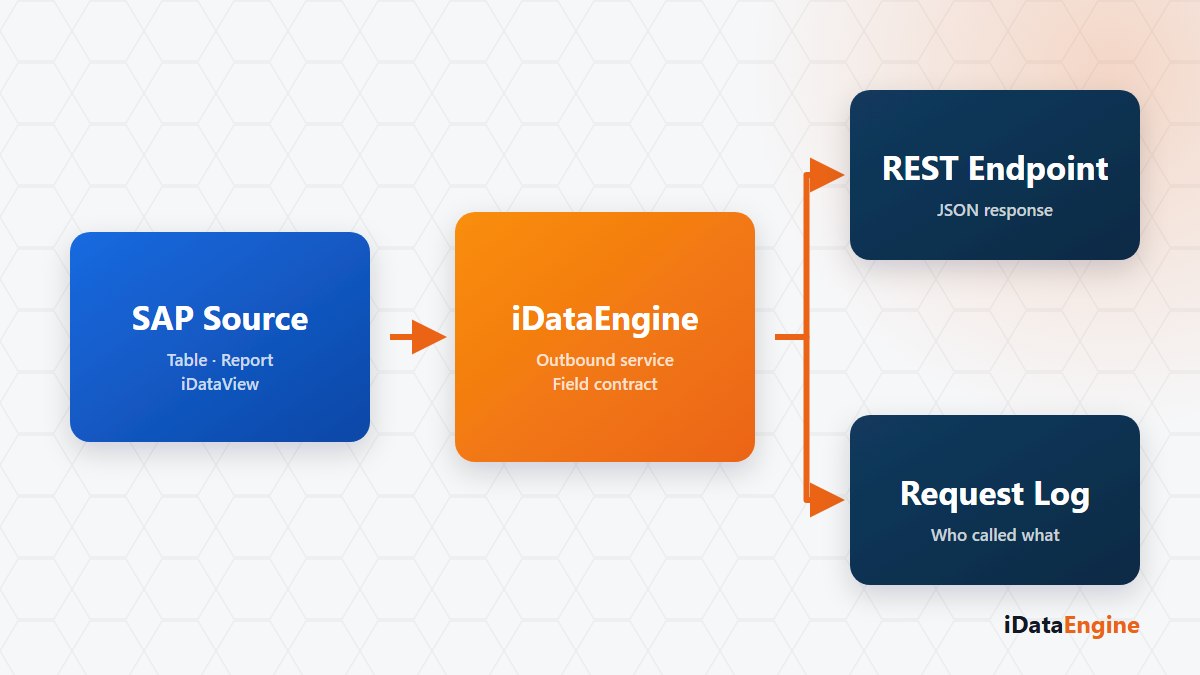
In iDataEngine an outbound service definition binds a SAP table, program, transaction code, function or iDataView as its source. The backend produces a URL-safe Base64 service GUID from the service name plus the customer and the system, and hands you the address to call. That part takes minutes.
The decisions start after it: the field set the consumer sees, summary data, language, record count, and whether the output is JSON or XML. The /app/api endpoint accepts GET and POST, and depending on the object type the selection parameters in the URL or body are turned into a SAP execution request.
The parameter split behind a REST service
Parameters carry a distinction that gets expensive later: some are fixed in the service definition, others can be passed at call time. If a fixed parameter is sent again, the request is rejected.
Making that split deliberately removes a question you would otherwise face six months in: “why can this partner read every company code?” Pinning fields such as company code, fiscal year or plant is usually right. So is leaving the date range open at call time.
What a service GUID is not
One misconception deserves a plain sentence: the service GUID is not a password. It is the Base64 encoding of the service name with the customer and the system; it resolves the address, it does not authenticate. Calls to /app/api require Basic Authentication and accept only an active user of type SERVICE, checked against its customer and system assignment.
On top of that you can add a per-service user list, allowed and blocked IP lists, and per-minute and per-hour request limits. Build one boundary in knowingly: if the IP cannot be determined, the controller may skip the IP check for backward compatibility, so an IP rule is not a door on its own.
Request records of a published service
Depending on the service configuration, request, response and execution metadata are written to the API log tables. Those records answer two questions: how often the consumer really calls, and whether failures come from the source, the authorization or the limits.
There is a simple check you can run in your own environment: open the request records from the first two weeks and look at the real call pattern. If you set the per-minute limit by guesswork, those records are the easiest way to reset it against actual usage.
Finally, keep two decisions apart. A service that works does not prove the data behind it is appropriate to share. The integration team decides on technical access; someone else usually decides on sharing the data.
Pick one SAP object that external consumers keep asking for, and in a short technical session let us write its field set, its fixed parameters and its request limit together. You should leave the table with more than an address.