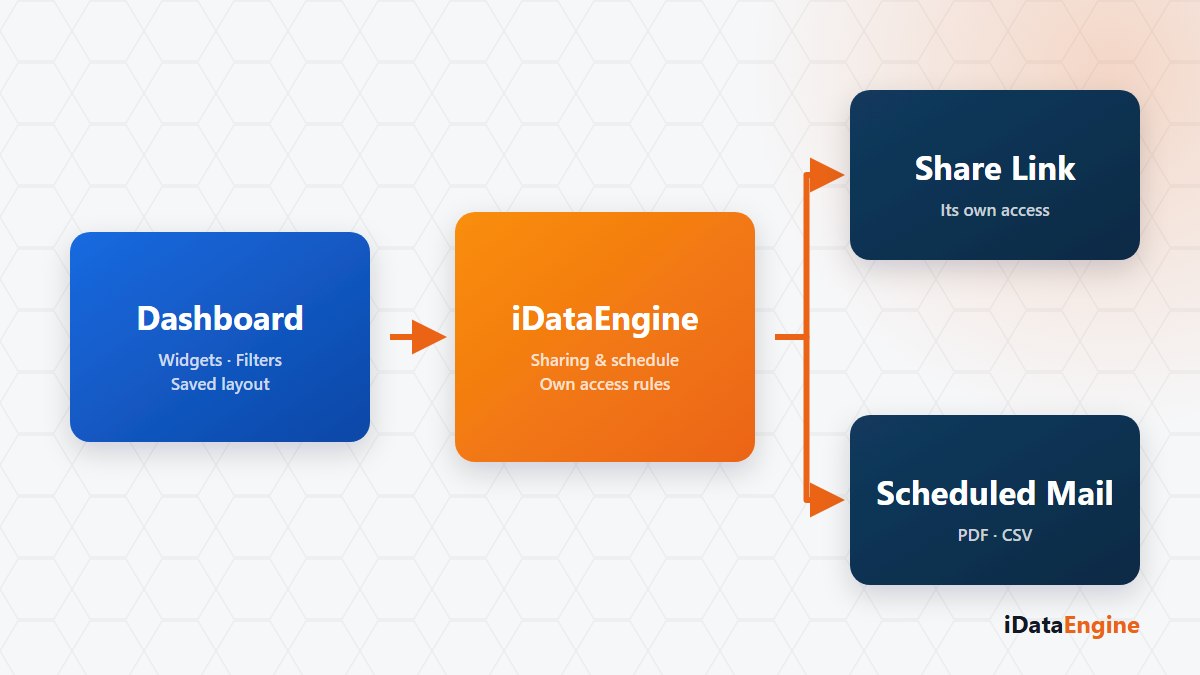
“I sent the link and they see an empty screen.” That sounds like a bug report. Usually it is not. The system is behaving exactly as designed.
There are three ways to open a dashboard to the outside, and each builds a different access model. Mix them up and you land on one of two outcomes: an empty screen, or visibility nobody asked for. The second one is expensive, because it takes months to notice.
The link runs under a different identity
A BI view can be given a share link that works without signing in. The link can carry an expiry date and can be revoked. The critical detail: that public access does not inherit the sharing user’s identity or row-level authorizations. It runs under a separate identity.
The consequence cuts both ways. On a source with an authorization field defined, the link can come back empty, because with no role for that identity the row filter can eliminate every record. On a source with no authorization field, the same link shows the content to anyone holding it. What separates those two outcomes is not the dashboard design; it is the authorization definition on the data source.
So a link should be opened in a browser without a session before it goes out. What you see inside your own session tells you nothing about what an external recipient sees.
What the PDF step depends on
Views can be rendered as PDF and emailed to users. PDF generation depends on a headless Chromium component; if that component is missing from the installation, the PDF step does not run and there is no fallback to HTML. Knowing the failure sits in the installation rather than the dashboard keeps the search in the right place.
Two records to read after a scheduled send
For scheduled delivery, read the job run and the mail dispatch history together. A dispatch record does not prove the recipient received or opened the message; delivery is the job of your mail infrastructure.
That distinction matters in an audit. Behind “the report goes out every month” there are two pieces of evidence: the job ran, and the message was produced. Whether it was read is not something these records can tell you.
What each of the three routes costs
- If the recipient will look at data regularly, creating a user and granting a role is the cleanest path. Authorizations then work under their own identity, and the audit answer is easy.
- If you need a one-off view, an expiring share link does the job. Test its scope before you publish it.
- If the recipient only wants a summary, a scheduled PDF email is simple and traceable, and it hands over an output without handing over access to the source.
A view design can also be exported and imported as a file, so moving a dashboard into another system is possible, with source mapping during the move. That is not sharing: one grants access, the other copies a design.
If you have a share link live right now, open it in a browser with no session and keep what you see. If it differs from what you expected, there is something to discuss, and reviewing the sharing scope alongside your data authorization model is where that conversation starts.