The request usually arrives like this: “there are too many old programs in the system, let us clean up the unused ones.” The sentence is reasonable. The trouble starts at the next step — nobody can clean up without a list, and whoever reads the list tends to trust it too much.
Z and Y programs accumulated over years are a fact of every SAP system. Some are still critical, some forgotten, some run on exactly one day of the year. All three sit side by side on the same list.
Where the candidate list ends
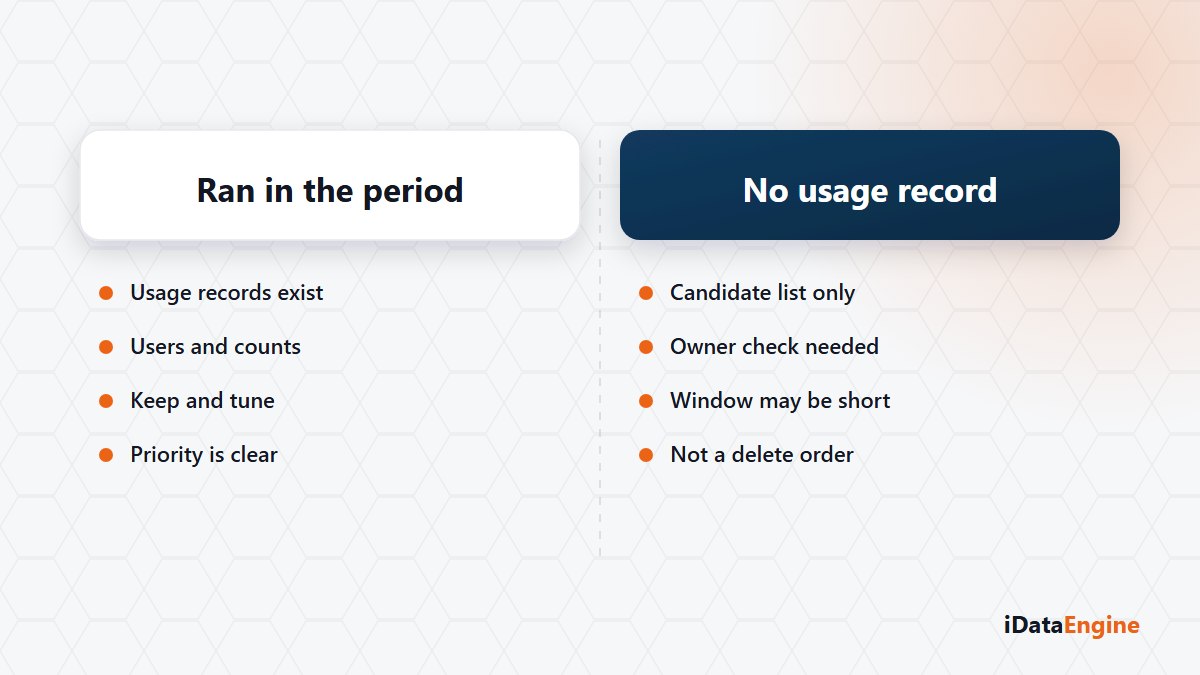
Usage analysis runs on the production system for a selected date range. It collects which program was run by which user, on which date and how many times, and the programs with no execution record in that period become a separate list.
The scope needs saying plainly: this list does not show every unused piece of ABAP in the system. It covers Z and Y executable program candidates identified through TRDIR. Function modules, classes and includes are not in it — a program may never be called while the logic inside it is used from somewhere else.
There is a system split as well. Static code scanning connects to the development system; usage collection connects to production. Knowing that the same module looks at two different systems helps when you read the result.
A three-month window cannot see year-end
The period you choose changes the answer directly. Pick a three-month range and a program that runs at year-end close appears on the “no usage record” side. Inventory counts, statutory filings and period close jobs are the classic victims of that trap.
The practical approach is simple: choose a period that covers at least one full business cycle, and do not close a suspicious candidate without talking to the package owner. The candidate list carries ignore management too — recording “this runs once a year, take it off the list” together with its reason stops the same discussion reopening next round.
Usage records, static findings and monthly workload
You actually hold three different kinds of evidence, and each answers a different question.
- Usage records. Did this program run in the selected period, who ran it, how many times?
- Static findings. Does the code contain a pattern that is problematic for performance?
- Monthly system workload. What do response, CPU and database times in SAP’s monthly aggregated data say? Hitlist records and the comparison of two periods sit here.
Collapsing the three into a single “code health” number produces the wrong order. A program that runs many times a day with a read inside a loop comes before one that never runs but happens to be badly written. The monthly data is aggregated; it does not trace down to a source line, but it does show which work tires the system.
Deleting is not a technical decision
What comes out of the list does not say this program can be deleted. It says this program should be looked at. Deletion, archiving and deactivation run through your change management process. CPA does not make that call; it produces evidence for the person who does.
Most cleanup projects stall for a non-technical reason anyway: nobody is sure who owns what. Writing the package owner’s name next to the candidate list often does more work than the list itself.
You do not have to scan the whole system to begin. Let us choose a period covering a full fiscal year, pull the usage list for a single Z package together, and turn the top ten candidates into something you can take to their owners. Save the deletion decision for the second meeting.