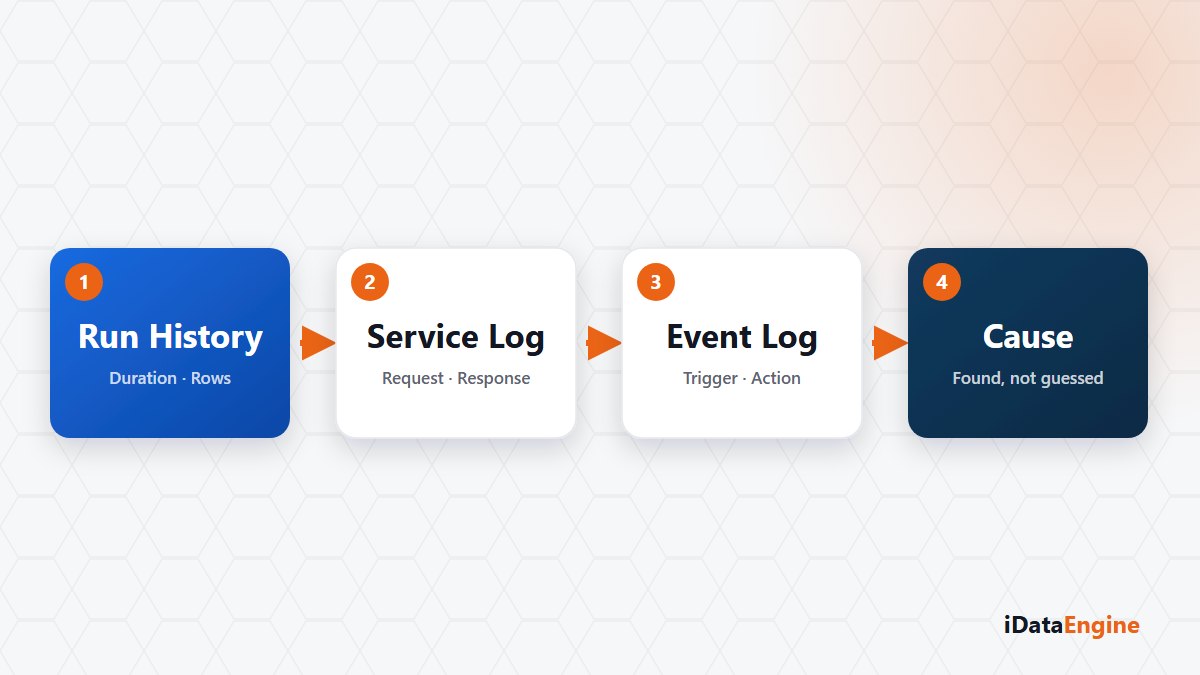
The morning message is short: “last night’s data never arrived.” No module name, no error code, no time. The answer is still sitting somewhere.
The problem is not a lack of records. Most teams start in the middle: the conversation turns to who changed what, the first module that comes to mind gets opened, and half an hour later nobody knows which step actually ran. The records can be read in order, and order beats guesswork.
Which log answers which question
First pin down the time and the scope: which data, which time window, which target. Then separate what each record can answer.
- The run record. If a scheduled flow is involved, did the job ever reach the queue, and which step did it stop at? The state can be
PENDING,RUNNING,AWAITING_CALLBACK,COMPLETED,FAILEDorCANCELLED, and this is the first place to look. - The service log. Outbound API calls keep request and response records, durations and error details. Did the call never arrive, did it arrive and fail authorization, or did it hit a request limit?
- The event log. If the flow starts from an event, the received event, the executed action and its result are stored here. The event never firing at all is itself a finding.
- The source side. An iDataView execution result, SQL transfer records or the TSAP pipeline log, read from whichever flow was used.
The operational service codes shorten the search: WS and WSC for outbound and incoming API, SQL for transfers, MAIL and FILE for sending and SAP-local file requests, TSAP for the write-into-SAP direction, CTM for the Fabric side and BI for analytical work. Checking which service type failed in the same time window usually narrows the search to a single module.
What the AWAITING_CALLBACK state is telling you
One state gets misread more than the others. A step that needs an external SAP or service result is moved to AWAITING_CALLBACK and the worker is released; the job is not stuck, it is waiting for an answer. Mistaking a waiting run for a failure and restarting it triggers the same work a second time.
Set the expectation correctly as well: do not assume one identifier travels by itself across every module and external system. In practice what links records together is the time window, the service or job name and the source object. That is why pinning the time down first matters.
Tying the rerun decision to the records
A second caution: the existence of a record does not prove its content is correct. A “successful” result does not mean the target system accepted the data in business terms. In flows that write into SAP especially, the row count in the target table needs its own check.
The rerun decision follows from that. There is no end-to-end rollback across TSAP packages; rows written before the failure can stay in SAP. Restarting without seeing what the previous step left in the target doubles the damage. Do not assume failed jobs retry themselves either: the max_retries field is stored, but a working automatic retry implementation is not verified.
Reading logs is not only about finding the cause; it is about making the second attempt safe. Writing these four steps down once and keeping them next to the on-call rota decides the quality of the decisions taken at midnight.
If there is an incident from the last six months you could never explain, open its file. Let us read the same records in this order together and find the step where the trail breaks; what is usually missing is not a record but a reading order.