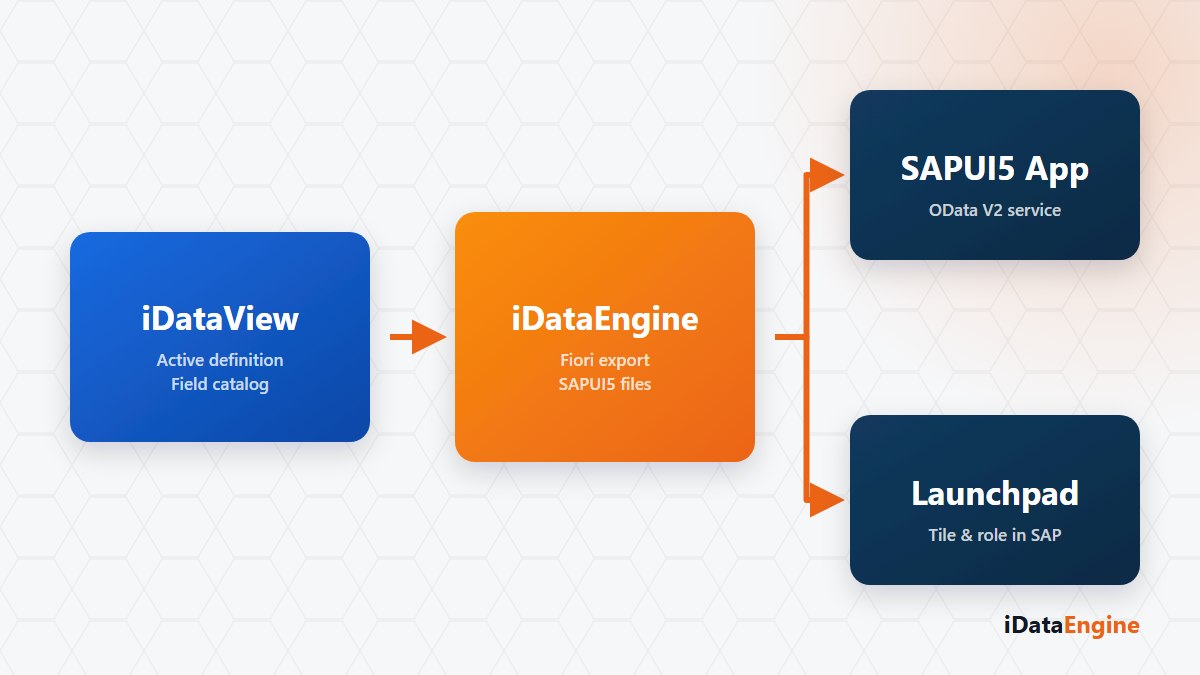
Fiori export in REP turns an active iDataView definition into SAPUI5 application files that run in a browser. The report and the application use the same field definition, so column texts, selection fields and data types do not have to be designed again in a separate layer.
This capability is part of REP and iDataView rather than a separate Fiori licence module. Generation and deployment prepare the technical application, but SAP publishing and authorization steps are still required before a user can access it through the Launchpad.
SAPUI5 files generated from an iDataView
The generator creates the manifest, views, controllers, model, local metadata, text resources and styles. iDataView output fields become table columns, while selection fields become filter controls. Relevant controller code is generated for dates, checkboxes and radio groups.
The application reads data through the YIDATAWBGS_SRV OData V2 service. It is designed for report viewing and does not provide a general-purpose create, update and delete workflow.
Deployment to the SAP system
Deployment uses @sap/abap-deploy, target system and client settings, and an SAP transport request. The iDataView must be active, connection settings complete, the Gateway service reachable and the transport request in a suitable state before deployment begins.
The deployment record reports success or failure for moving the application files to the ABAP system. It does not confirm that Launchpad catalog, tile, target mapping, group and PFCG role assignments have been completed.
Launchpad and field consistency checks
- Deploy to a test system first and confirm that the OData service responds there.
- Verify catalog, tile, target mapping and role assignments with a test user.
- If a field label or format is wrong, correct the iDataView field definition and regenerate the application instead of editing generated files.
- Compare the ALV output and SAPUI5 screen with the same data and user scope.
A test deployment from one active iDataView is enough to evaluate the workflow. It allows application generation, OData access and organisation-specific Launchpad steps to be verified together before they are added to a production release plan.