“We already signed this off.” It is one of the most common sentences in a go-live meeting. When the report was shown in ALV output, the columns, the headers and the filters were reviewed one by one. Then the same list opens in a browser, the user sees something else, and the argument moves to which approval still holds.
Most teams treat it as an interface problem. Screenshots go back and forth, front-end corrections get requested, a second round of sign-off opens. The real cost is the habit: every report gets approved twice, and nobody can say which round was right.
The field catalog decides both outputs
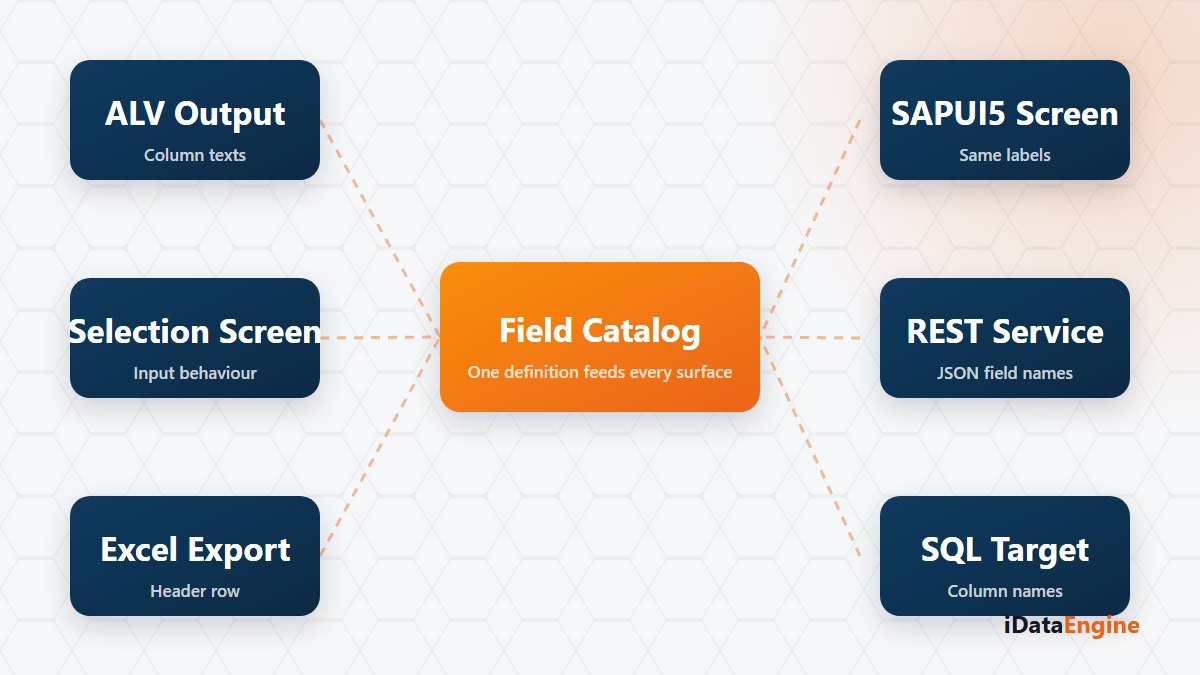
Field definitions in an iDataView feed both the generated ABAP report and the SAPUI5 application produced from the same definition. Field text, data type, length, selection screen behaviour and search help live in that shared layer. Output fields become table columns, selection fields become the filter bar, and searchable text fields get contains-style filters.
Read the consequence plainly. A header shortened to “Mat.Grp.” in ALV shows up with the same abbreviation on screen. A field never typed as a date offers no date picker. A field with no text at all appears with its technical name — the smallest and most visible defect you can ship.
Fixing the label in the definition, not in generated code
So here is the decision: where does the correction go? Editing the generated application files looks like the short route. But the generator clears and rebuilds the shared webapp folder on every run, so a label fixed by hand does not survive the next generation.
A correction made in the field catalog lands in both outputs at once: the report column header and the filter label come from the same definition. That makes the catalog a shared contract between the report team and the front-end team, not an interface setting. The screen side is not a separate product either — SAPUI5 files are generated from an active iDataView definition and uploaded to the target ABAP system with a transport request.
A field catalog pass before go-live
- Field texts. Check which of the long, medium and short texts is used where. When space gets tight the short text wins, and that is where a meaningless abbreviation surfaces.
- Data types. Do quantity and currency fields have their reference fields defined? Without them, formatting diverges between the two outputs.
- Filter behaviour. Mandatory fields, multiple selection and ranges behave on screen the way they behave on the selection screen; date, checkbox and radio fields get their own control code.
- Write expectations. The generated application is built for viewing reports: create and update are switched off in the field metadata. If users expect to change records on screen, raise it in the first round.
Whatever still differs after that pass is usually a publishing step on the SAP side rather than a field definition: catalog, tile, target mapping, group and PFCG role assignments are completed manually in the Launchpad. Those two problems belong to different teams, and separating them ends the argument about whose issue it is.
Before the next report moves to a screen, try this: open the field catalog and read every short text out loud. You will hear the meaningless abbreviation before your users do. If you would rather do that reading together, let us take the definition closest to release and mark, field by field, what it will show in the report and on the screen.