The question is always the same: did the nightly job run? The answer is usually “I think so” or “no user has complained”. Neither one is an answer.
When no record answers it, the team verifies it by hand every morning: check the target table, count the rows, look for the email. That verification takes longer than the work itself.
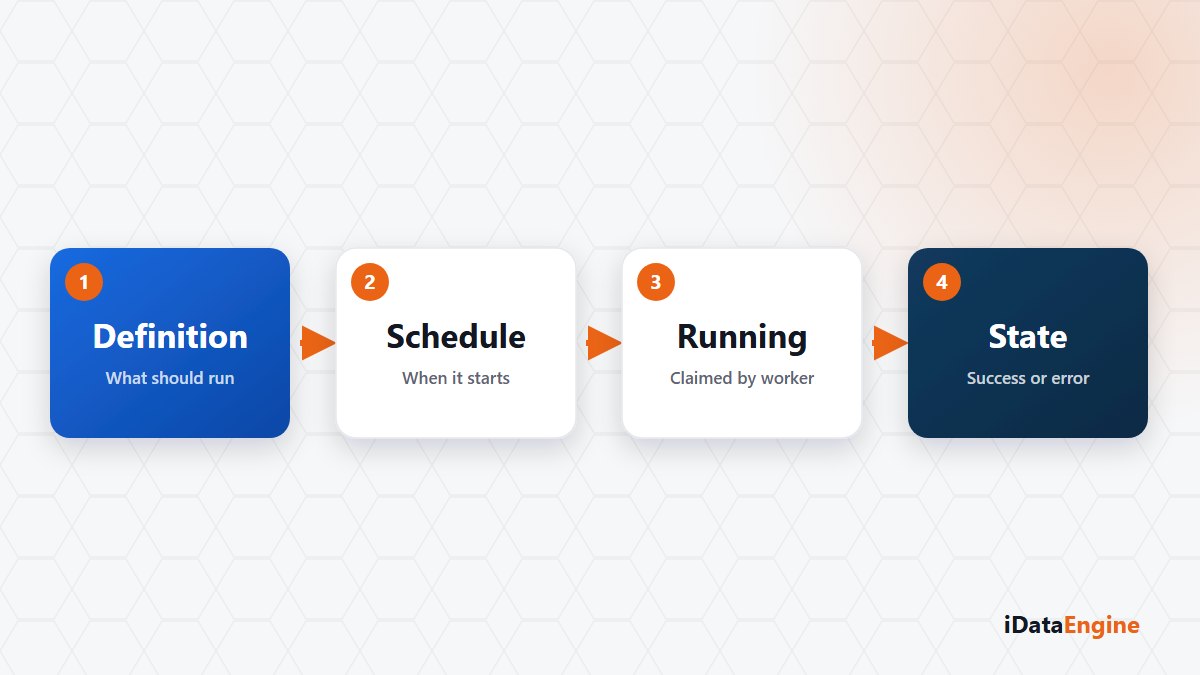
What a schedule definition settles
The shared job layer — not a separate licensed module, but the common ground that BI, transfers, mail, AccessGuard and event scans all sit on — takes a schedule as a minute, hour, day or week period, or as a cron expression. Rules like “the first working day of the month” need cron; for simple repetition a period stays easier to read.
A job can be built from several steps. Steps run in sequence by step number rather than in parallel, and the error behavior is chosen per step: should the chain stop, or continue? In a chain that prepares data and then sends a report, the answer is usually stop.
Which question a run state closes
When a job is due, a pending run record is created. A worker from the pool claims that record with a database-level lock, so two workers never pick up the same run. If the pool is busy, the record waits in line instead of disappearing.
Because the pool size is capped by configuration, do not expect ten jobs stacked on the same hour to run at the same time; they queue. Runs left hanging by a restart get cleaned up as well, so a server restart does not leave the screen showing something untrue.
The states tell you where the work stands: pending, running, awaiting an SAP response, completed, failed and cancelled. Each run stores its start, end, duration, step results and job log.
“Awaiting an SAP response” earns its place. A step waiting on an external result releases the worker and waits on a callback token; if no answer arrives inside the configured window, the run is closed as failed. So “is it stuck, or still waiting?” gets answered by a state instead of a guess.
The order for reading a failed run
For a failed run, work through it in this order:
- Which step stopped, and what does the error text on that step say?
- How long did the run take, and how does that compare with earlier runs of the same job?
- Did the rest of the chain run, or did the error policy stop it before it started?
The second item gets skipped most often. A run whose duration has doubled is telling you something even before it fails.
One expectation needs setting straight. The definition stores a retry count field, and it should not be read as a working automatic retry feature. What happens after a failed run is still an operational decision. Cancellation is cooperative as well: the running step has to notice the request and stop.
That is why one step matters as much as picking the calendar — deciding who hears about a failure. An email notification or an event action closes that gap.
If you have a nightly job somebody verifies by hand each morning, we suggest breaking it on purpose once: run it with a wrong connection and look at how the record appears. We can run that exercise in your environment, on one of your own jobs.