Start with a small count. Open four of the projects you put live in the last year and look for a single field: customer number. Note how many separate places define it. In most organisations the number comes out higher than three.
The first three projects go quickly, and nothing shows there. On the fourth, a field grows longer in the source system or a new value appears in a code list, and you first have to find how many places the change has to touch. That search usually misses one, and production finds what was missed.
Which definition settles which argument?
The product keeps a central area for definitions shared across modules. The real question is not which objects exist but which argument each one closes for good:
- Field sets. Which columns of a table come out under which heading is answered once, and the report, the service and the file output all use that answer.
- Parameter headers and rows. What exactly does “open orders” mean — which statuses, which date range? Define it once and the same argument does not reopen on the next project.
- Value sets. Code and value lists sit centrally and are synchronised through scheduled jobs, so when a new code appears in the source system nobody has to hunt for someone to update a list by hand.
Masking rule sets and text and table templates follow the same logic: how a sensitive field appears in output, and the format of a report, stop being decisions taken again in every project. The active object catalog holds SAP and external source objects, their fields and selection parameters in one place, which turns “has this table already been activated?” into a searchable question.
Three different jobs for one active iDataView
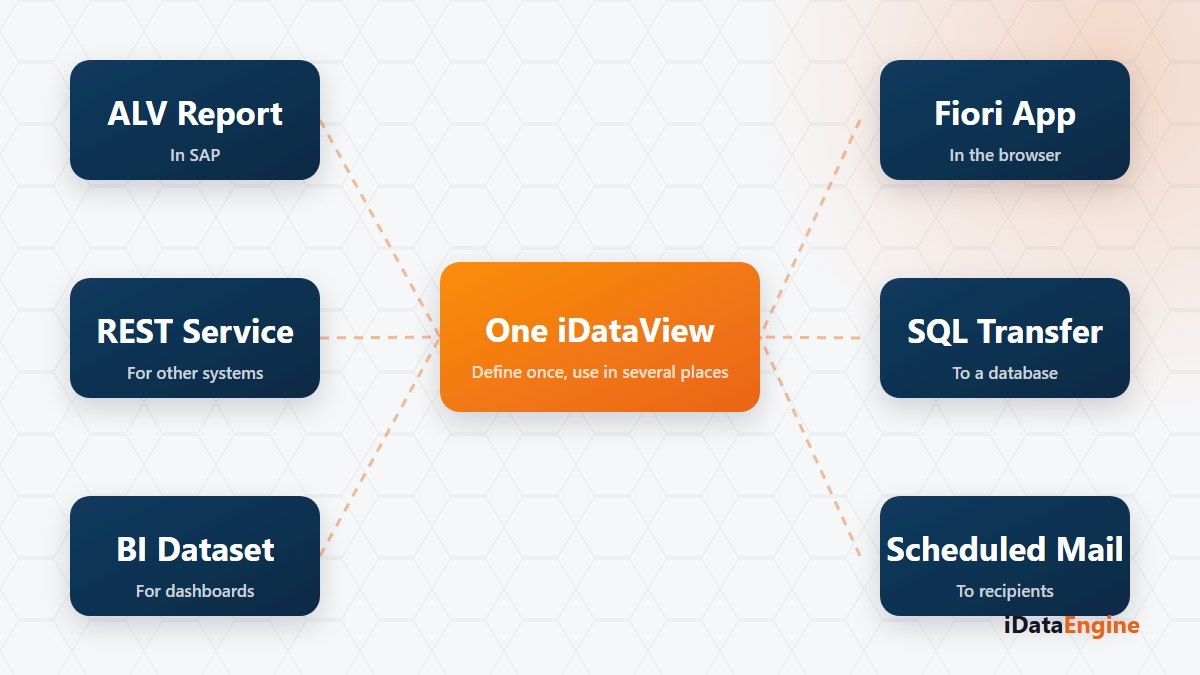
An active iDataView report definition does not have to stay a report. The same definition can be the source of an outgoing API service, a SQL transfer project or an email variant. The mechanism here is not copying but referencing one definition from different execution flows — which does not mean every target produces the same output shape, so each target still needs its own check.
The practical consequence: take field names and texts seriously on the first pass. A field name that is “good enough” for a report comes back six months later as a name that is hard to explain in an integration contract.
Who owns a shared definition?
The only real risk with shared definitions is that nobody owns them. If anyone can change a field set, trust in it disappears quickly and teams go back to opening their own copies. The arrangement that works is plain: name the owner of shared definitions, record the reason for every change, and ask which other flow uses a definition before touching it.
That is also where the gain shows up. When a field grows longer in the source system there is exactly one place to touch; if the definition was copied, you first have to work out how many projects need the same change.
Run that count, and put the result on the agenda as the first item of your next project kick-off. If you want to work out together which definitions could move into a single place, starting with your three most repeated fields is enough.