The request always arrives in the same sentence: let us take this report as a file every evening and drop it on their SFTP. It sounds reasonable, and it usually gets accepted without a question.
The trouble is that the sentence has already made a design decision — the transfer protocol. What comes first is the format, the name and who owns producing the file. Projects that start with the protocol tend to stall in go-live week, because the production side was never settled.
The real cause is usually this: the party producing the file and the party moving it are different, but the request was written as one box.
What the verified file request sends
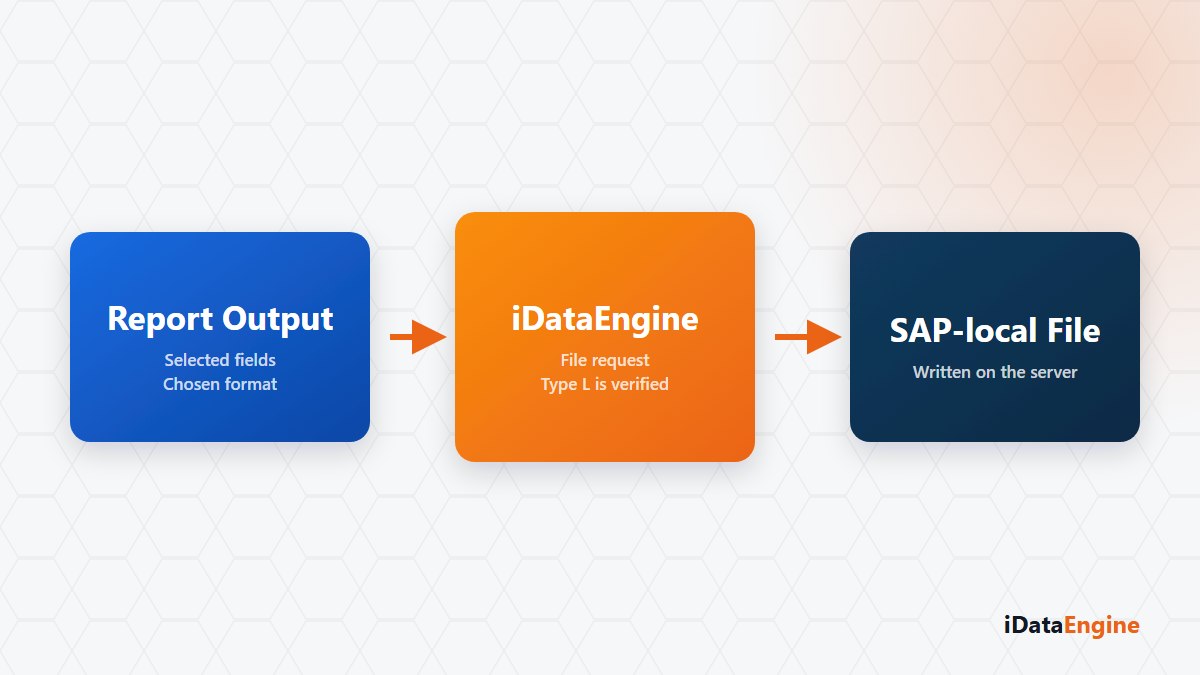
Stating the scope plainly makes this easier. For report or iView output, the verified path writes the file to a defined directory on the SAP application server: target directory, application server, file name, separator, output format and split count go into the ERP request.
That execution can start a background job on the SAP side, and the job name and number it returns are written to the file service record. So “was the file created?” gets answered by a record rather than by a user.
The boundary sits in the same sentence: the physical write depends on execution and directory permissions on the SAP side. The request has been sent; whether the directory received it is something the target system tells you.
The file name is a contract with the consumer
File names can take dynamic parts such as date and time through a defined plugin. It looks like a detail, but the naming scheme is the contract with whoever reads the file. If the receiving system expects a particular pattern, fix it up front.
Large outputs can be split, so treat split behavior as part of the same decision. Then there is format: will a person read this file, or a system? If a system reads it, agreeing on the separator and the character set matters more than choosing the format.
Where the FTP/SFTP expectation belongs
On server-to-server transfer, do not plan around an in-product file transfer engine. The help material describes an FTP/SFTP flow, but no application code implementing it has been verified, so we do not present it as a product capability either.
In practice two routes remain:
- Email attachment. The output goes to defined recipient groups as a PDF, XLSX, CSV or HTML file.
- SAP-local directory. The file is written to a directory on the application server, and moving it stays with the file transfer infrastructure you already run.
On the second route, write the responsibility boundary down at the start of the project: who produces the file, who moves it, and who notices when it is missing?
Because output generation can run as a job, a file that failed to appear overnight shows up in the record instead of being reported by a user in the morning. The habit that pays off most in practice: put the date in the file name, and define a review step that checks whether the expected file exists in the target directory. Without that step, the first person to notice a missing file is usually the party waiting for it.
A concrete next step: take one of the file requests on your desk and split it into three — who produces, who moves, who checks. Making that split together is what the first meeting of most file projects should be about.