It starts small. One scheduled job keeps a dashboard current every morning. It runs, nobody looks at it, the matter is closed.
Then the second: authorization data syncs overnight. The third: an external database table is written into SAP. The fourth: an email goes out on the first of every month. Each is small on its own, each set up on a different screen.
The threshold arrives when the question changes, not when the count grows. One morning somebody asks why a figure is yesterday’s, and however many screens you open to answer, the infrastructure is scattered by that much. If every module keeps its own scheduler and its own log, “what happened last night?” has no single answer.
One queue, one set of run states
Jobs are defined under one framework. Module, job type, a period or cron expression, priority and max concurrent runs sit in the job header; a job can have several steps, each with its own handler code, parameters and failure behaviour — stop or continue.
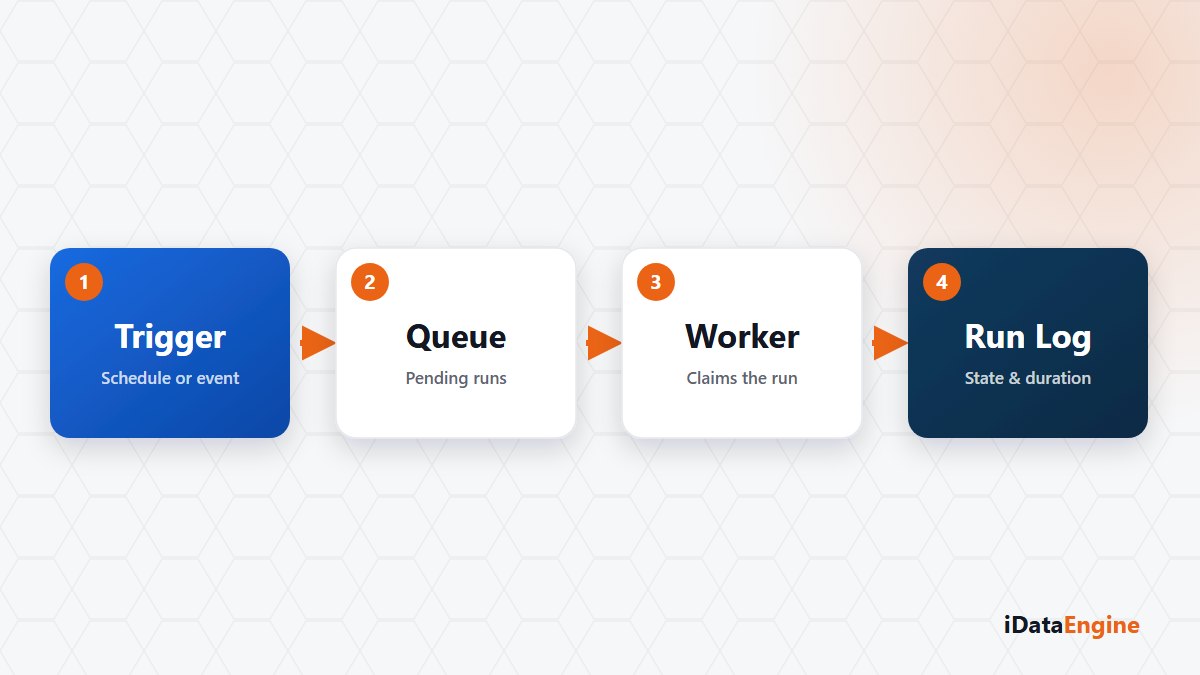
When a job is due, a pending run record is written. A worker from a fixed-size pool claims the highest-priority record with a database-level lock, so two workers never take the same run. When the pool is full, records wait in the queue; steps run in sequence, not in parallel.
Operations need the state list: pending, running, awaiting a SAP response, successful, failed, cancelled. “Awaiting SAP response” is the most useful — the work waits in an external system, the worker is released, and the run fails if the response does not arrive in time. The same framework runs BI cache refresh, asynchronous fetch, BI flows, PDF mailing, AccessGuard user delta, value set sync, SQL-sourced TSAP and mail templates, so a dashboard and an authorization scan share one monitoring language.
When an event trigger replaces a manual check
The second mechanism is events. A notification pushed from SAP can be received, or a selected SAP table scanned at intervals for changed rows. The table, fields and filter rows live in the definition, and processed rows carry a hash from the key fields so the same change does not become an action twice.
Three action targets follow: an email template, a registered REST service call and a system job. A condition can sit between event and action, evaluated against the event row and its metadata. Triggers run sequentially in the current dispatcher loop, and events and executed actions stay in the event log with the raw payload.
Reading the retry count field correctly
- The job definition holds a retry count field. Read it without assuming every failed run restarts itself.
- File-upload TSAP transfers cannot be scheduled; they run from a user upload. SQL-sourced projects can be scheduled.
- The SAP job action validates the target and produces a queue result; it does not show that execution finished in SAP.
- Cancellation is cooperative: a running handler has to check the cancel context. Pull-sourced events surface one scan period later.
- Before restarting a half-finished transfer, check what the previous step left in the target system; a second run can double rows.
That changes the question you start from: not “which module broke?” but “which state did the run stop in?” To try it, open this week’s run records, look only at the state column and mark the state that repeats. If you would like to read that list with us, pick one week from your own overnight window and we will go through which run waits at which step, and which manual check could move to an event trigger.