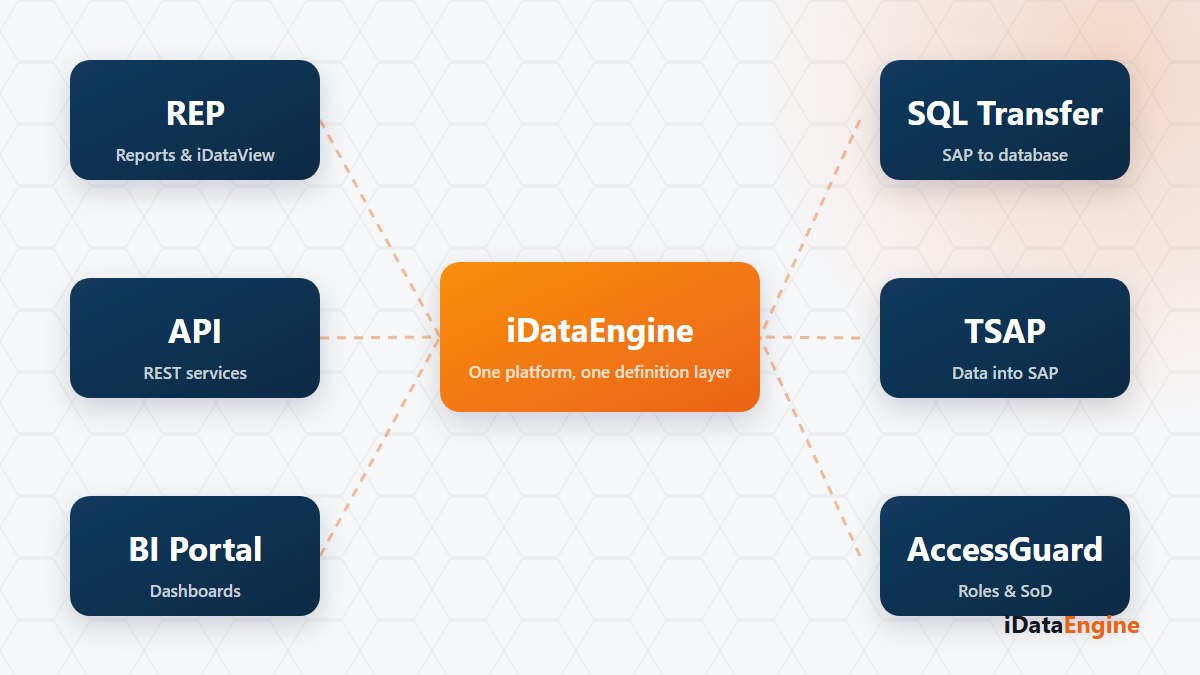
The request is one line: “we need supplier data out of the system every night.” The meeting is not. It starts from module names rather than the requirement, with everyone inferring function from a label.
Module names describe scope, not function. The cost is always the same: a flow built in the wrong place gets unwound later, and the same work is done twice.
A one-sentence direction and trigger test
The useful order is the reverse. Write the direction and the trigger in one sentence, then choose the module. “Every night we will write the supplier table from an external database into SAP” names its own module; “we will also see that list on an analytics dashboard” names a different one. Choose before source, target and trigger are written, and the scope grows later.
How nine modules split into three groups
iDataEngine is a platform that works integrated with SAP systems; REP, SQL, API, MF, TSAP, BI, CTM, CPA and AG are its core modules, and those nine names fall into three groups.
- Out of SAP. REP keeps data inside SAP as a report: an iDataView definition generates ABAP source, which is transported to SAP and activated there. SQL moves data out into PostgreSQL, Microsoft SQL Server or Microsoft Fabric from tables, ALV output, transaction codes, CDS views, functions or iDataViews. API publishes as a service instead of moving, MF delivers results through templated email and file output, and BI combines SAP, SQL, file, web service and Fabric data into models and dashboards.
- Into SAP. TSAP is a direction of its own: an external database table, a SQL query or an uploaded file is written into a SAP table, with the target table defined through the DDIC wizard and mappings simulated on sample data. Confusing SQL Transfer with TSAP is the most expensive mistake of a project’s first week: one reads from SAP, the other writes into it.
- Looking at the system, not the data. CPA examines ABAP source and program usage: performance patterns, Y/Z program candidates with no execution record in the selected period, and system metrics. AG (AccessGuard) synchronises user, role, profile and authorization data and compares it against critical access and segregation of duties rules. CTM defines Fabric and OneLake connections for BI source and SQL project scenarios.
Fiori is not a separate name on that list: generating SAPUI5 files from an active iDataView definition and uploading the application with a transport request is a REP/iDataView capability. Launchpad catalog and role steps stay manual in SAP.
The shared layer that is not a licence module
The job framework and event management are not separate licence modules either; they are the shared layer. BI cache refresh, AccessGuard sync, SQL-sourced TSAP transfers and mail dispatch are scheduled under the same framework and read from the same run records.
Two more things belong on the decision table. Monitoring service codes are more granular than the licence modules: REPORT to REP, WS and WSC to API, MAIL and FILE to MF, and TSAP for transfers from external sources into SAP. And module access needs two conditions together — the module active for the customer, and the user holding the relevant authorization object. “It exists in the platform” is not “it is usable in this installation”.
Pick three items from your open request list and write each as one sentence: source, target, trigger. With those on the table, the module debate becomes a scoping decision. If they are hard to write, get in touch and we will draw the scope from your own backlog rather than from a module tour.