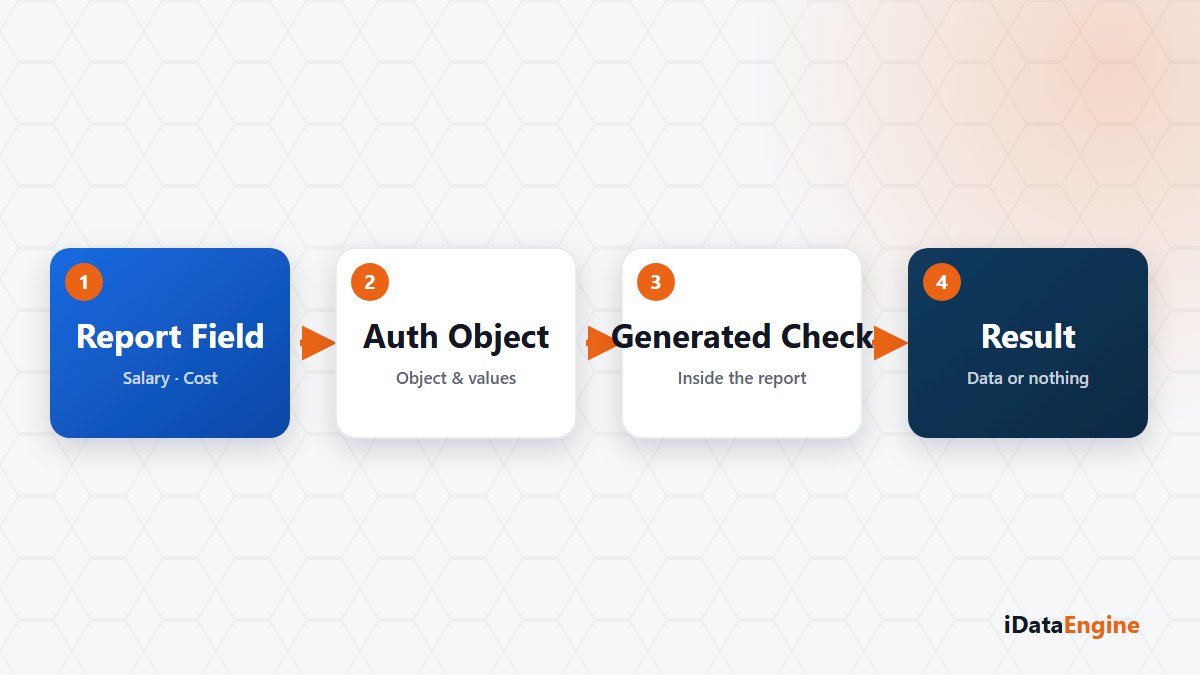
In any report carrying payroll, cost or organisational data, the decision lands in the same place: what happens to the sensitive column? There are two routes, and both get reported as “handled”.
Where a Hidden Column Comes Back
The first route removes the column from the output layout. The report goes live, the column is gone, the ticket closes. The data, though, is still being read — it is simply not displayed.
So the same data returns from three directions: when the output is exported to Excel, when the definition is turned into an outbound API service or a SQL transfer project, and when somebody edits the output layout. The third needs no special access at all; the layout is a user-side setting.
This route costs nothing today. The report runs, nobody complains, and the question of where the control sits only gets asked in an audit or after data has left the building.
Whose Decision Is the Authorization Object Mapping?
The second route maps iDataView fields to SAP authorization objects and to the fields of those objects. The mapping is generated into the ABAP report as a runtime check: if the user running the report lacks the authorization, the data does not arrive. The control now depends on the corporate authorization catalog rather than on the output layout.
This route is paid for up front. Which field maps to which object, with which field values, is answered by the process owner — which makes field selection a business decision, not a technical one. Choosing the wrong object is riskier than hiding a column: a control appears to exist while it enforces nothing anyone expects.
Running the Same Report as an Authorised and a Restricted User
One user cannot prove the control works. Run the report with an authorised test user and a restricted one, then compare the two results. Write the expectation down first: for the restricted user, should no rows arrive, or should the field come back empty? Without that sentence in writing, the test result stays open to argument.
An AccessGuard Finding Versus a Runtime Check
Two controls get confused, and they answer different questions. The check inside the report works at runtime, for that user: “can this person see this data right now?” AccessGuard works in a separate layer; it synchronises user, role, profile and authorization data from SAP and compares it against critical access and segregation of duties rules to produce findings: “who has accumulated which access?”
Substituting one for the other is a common mistake. An AccessGuard finding does not prove a violation happened; it flags something that needs review, and it does not change roles by itself. The in-report check does not repair role design either — it only decides what a given report shows.
The strength of the control is bounded by your role design. Mapping authorization objects will not improve a badly built role concept, but it does make the report’s decision explainable, and in an audit that is usually the exact question being asked.
Here is the work to do before the audit question arrives: pick three of your reports that carry sensitive fields, put each field list in front of the process owner, and write down which field belongs to which authorization object. Once that list exists, building the mapping and testing it with two users is a short technical session.