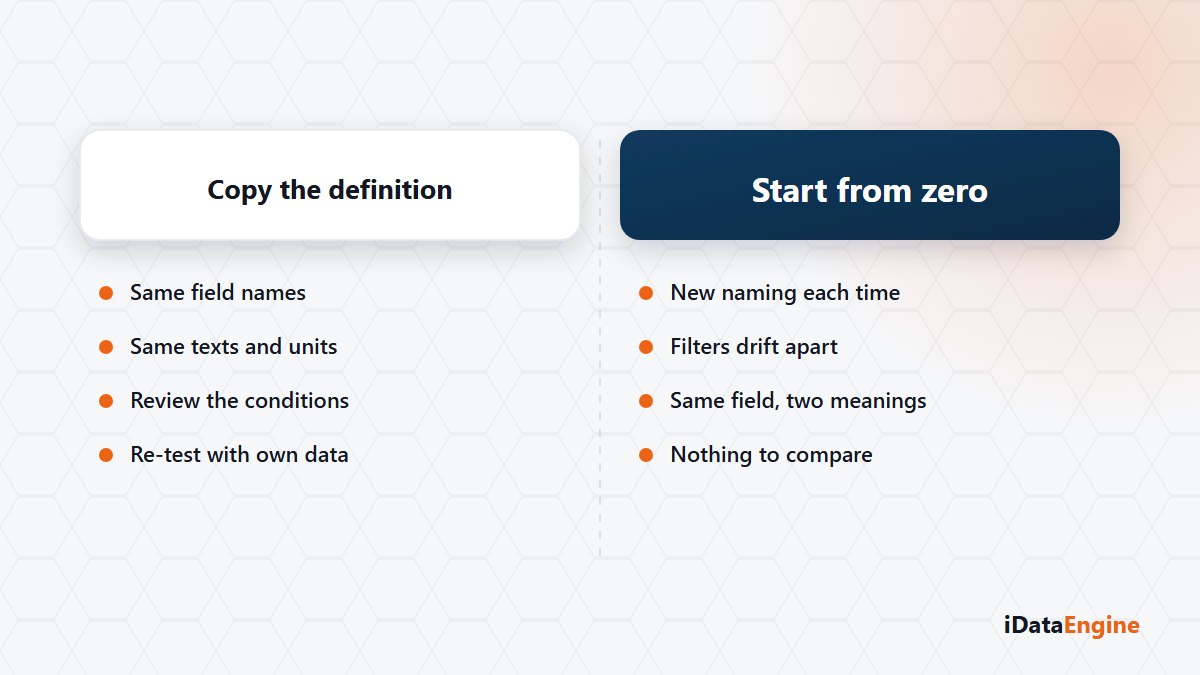
If an organisation has seven reports that people call “the sales report”, at least five of them read the same tables. None of them looks like the others, though: material group is a filter in one, an output column in the next, and missing from the third.
The usual explanation is that every business unit wants something different. Partly true. But field names, texts and conversion rules do not drift apart because of the business — they drift because every design starts from a blank page.
Where the Drift Starts: Field Names, Filters, Layouts
Drift arrives through three doors. Field names and texts: the same field shows up under different labels. Conditions: company code is fixed inside the definition in one report and sits on the selection screen in another. Layout: the same information is a column here and a total line there.
The bill comes due when a single field changes. Somebody has to find that change in seven definitions, retest each one against its own data, and collect seven separate approvals. Nobody finishes that job. A couple of reports get updated, the rest fall behind, and reports that answer the same question differently start living side by side.
Copying an Existing iDataView Definition
The useful question is not “how fast can we design this report?” but “which definition is this report a continuation of?”. REP answers that simply: an existing iDataView definition becomes the starting point for the new design. You can create a report from a template, or copy a definition that is known to work and adjust its sources, joins, conditions and field settings for the new requirement.
The gain is consistency more than design time. The same field arrives with the same name, the same text and the same conversion rule, and the new report continues the naming order the previous one established.
Four Points to Walk Through in the Copy
Copying does not prove the new report is correct. Do not publish before you go through these four:
- Source-specific conditions. The fiscal year, company code or movement type filter of the previous report may not fit the new requirement.
- Table joins. If you added a table, key fields and the join type have to be built again.
- Authorization objects. A changed field set changes the mapping, and an inherited mapping can be misleading.
- Test data. Run the new definition against its own data; the previous report’s test is not evidence for this one.
A Field Name Ends Up Inside an Integration Contract
An active iDataView does not have to stay a report. The same definition can feed an outbound API service or a SQL transfer project, so getting field names and texts right early pays off later as well. A field name left as “we will fix it later” shows up six months on inside an integration contract, and by then the change is no longer your team’s call alone.
We have no measurement to publish on how much design time this saves. What a shared starting point does is different: it keeps report definitions close to one another and makes the next change traceable.
Start with an inventory. List the reports people refer to by the same name and mark the one that could serve as the template for the rest. Let us review that definition and get it ready to be copied — then the eighth report has somewhere to start.