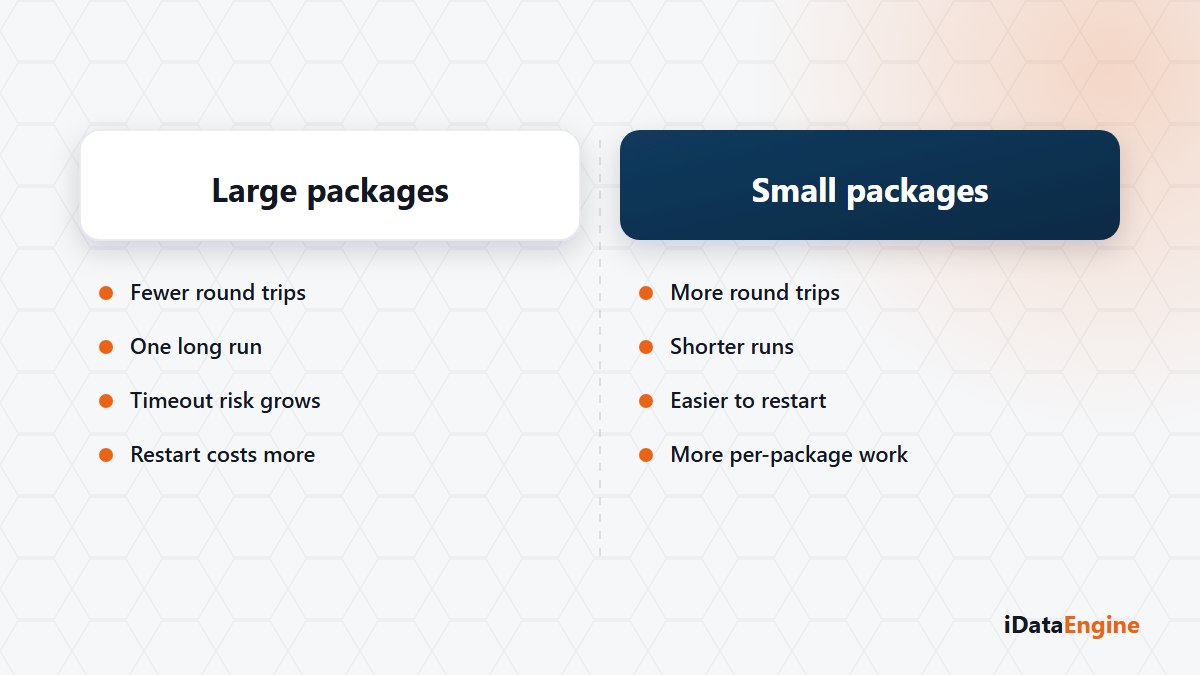
A transfer that started at 02:40 still looks like it is “running” in the morning. The first suggestion in the room is usually the same: raise the package size.
That suggestion rests on intuition, not a measurement. Bigger packages mean fewer rounds, so the job should finish sooner. It sounds reasonable, and the number of rounds is often not what sets the duration.
The real issue is a different one. A record that says “running” in the morning can mean three things: it genuinely is working, it is waiting on the other system, or it is stuck and nobody noticed. A “cancel and restart” taken without separating those three tends to produce a second problem.
Debating package size without a measurement
We have no comparative benchmark to share; what we can describe is the mechanism. Data is read and written in packages. Package size and the option to switch off parallel processing sit in the project definition and travel to the SAP side with the execution request. What a setting does at your data volume can only be measured in your environment.
The data reprocessed when a package fails
It is more useful to choose package size from the failure side than the speed side. When a package fails, the data in that package is reprocessed. A larger package means more reprocessing at the moment of failure and a longer catch-up. Memory and network behaviour follow the same choice.
The state records are what let you decide. The job framework stores pending, running, awaiting SAP response, successful, failed and cancelled states together with step results and durations. Workers claim pending runs while skipping locked records, so the same run is not picked up twice.
The distinction that earns its keep in operations sits here. “Running” says a step is open on the iDataEngine side. “Awaiting SAP response” says the ball is in the other court, and then the place to look is not the transfer screen but the process and resource state in SAP.
Separating source read time from target write time
Read the duration as one number and you fix the wrong thing. Source query time and target write time appear in the same record, but the bottleneck usually collects in one of them, and the remedies differ: one is filter and selection work, the other is target table, index and connection work.
Three questions to ask in order before a rerun:
- Are there overlapping schedules for the same project? Two runs writing to the same target can block each other.
- How many rows are in the target? Appending on top of a half-finished transfer creates duplicates.
- Which step does the error record point at? Source read, package write and target connection point at different causes.
The job definition holds a retry count field. Do not read it as “every failed job retries itself”. For flows that write to a target, keeping the rerun decision with a person remains sensible.
Here is what we suggest: in one maintenance window, change the package size on a single project and record two runs side by side. Let us read those records together and make the setting permanent afterwards. A tuning change made without measurement tends to create as many problems as it closes.