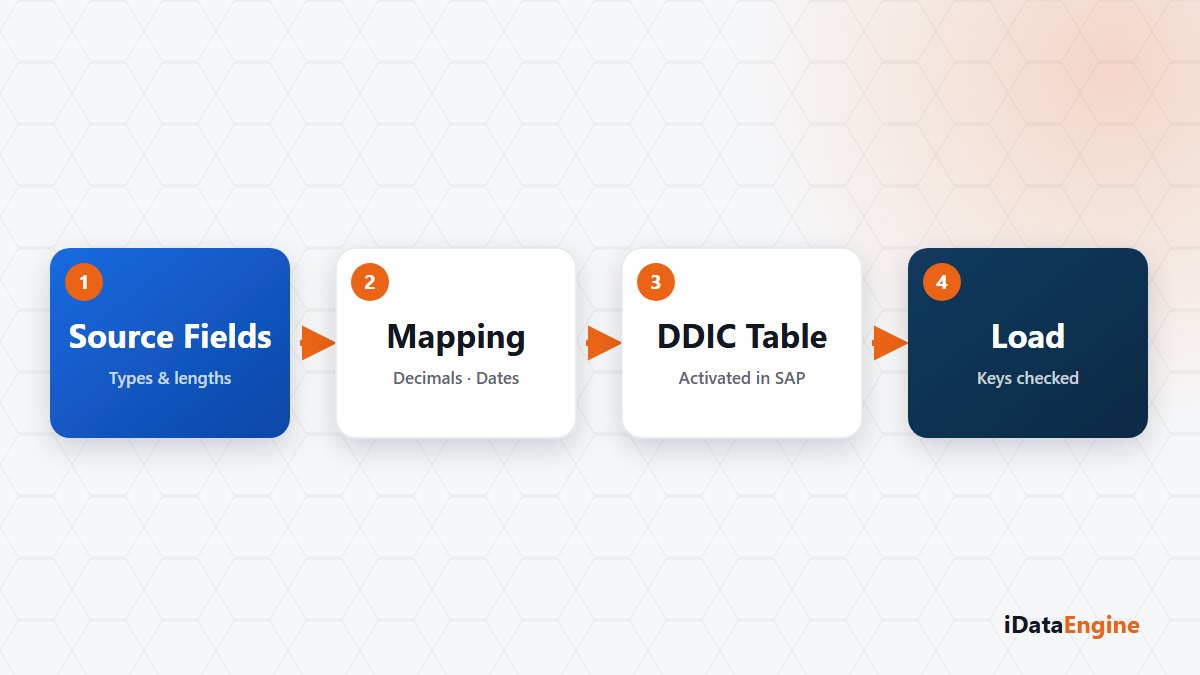
“The mapping is done — when do we start writing?” In most projects the answer is the same: the table we are writing into does not exist yet.
In projects that move external data into SAP, the first real obstacle is usually the target table rather than the field mapping. It is not there, and getting it there needs a structure decision, a set of data elements, an activation and a transport request. Skip that and the project waits at “the mapping is done but we cannot write”.
The wait looks like a technical delay. It is usually a question of ownership: who defines the table, which package does it belong to, and who approves the request? Until those three are answered, progress on the mapping screen produces nothing.
The YTIDX name, 16 characters and the data element
DDIC management runs this through a wizard. A SAP table structure is proposed from sample data or from the source fields. You then define field name, data type, length, decimals, key, mandatory flag, default value and data element, picking an existing data element from the SAP catalog or creating a new one.
Two naming limits belong in the first design pass: the target table name starts with the YTIDX prefix and runs to 16 characters at most. The design sits around custom tables; free writing into standard SAP business tables is not what this flow claims.
Activation and transport stay SAP standard
Create and update run through DDIF_TABL_PUT, package assignment through the TADIR interface, activation through DDIF_TABL_ACTIVATE and deletion through RS_DD_DELETE_OBJ. These are standard SAP functions. The contribution here is calling them in order inside a project flow and recording the result.
Open transport requests are listed, the request is verified as modifiable, and a new one can be created when needed. Before a delete or a recreate, the table is checked for existing data. That check is reassuring, and it does not replace your change procedure — keep destructive operations in a production system inside your own approval flow.
User, date and time audit fields are appended to the last positions of the table automatically, using standard data elements.
Sizing text fields to the contract, not to today’s data
Once the target table exists and holds data, changing a field name or type is not cheap. So settle three things in the first pass: the key field set, the type of date and time fields, and the length of text fields.
For length, the useful criterion is the contractual limit of the source rather than the longest value in it today. A customer code that is ten characters now may be twelve next year, and a definition built on the contract produces a less brittle table. When the source structure changes, the SAP field catalog can be re-read and synchronised with the local definition.
A concrete starting point: before the target table is created, put the field list and the key set on one page and review it with the SAP team in a half-hour session. Every correction made after activation asks for more than that half hour.