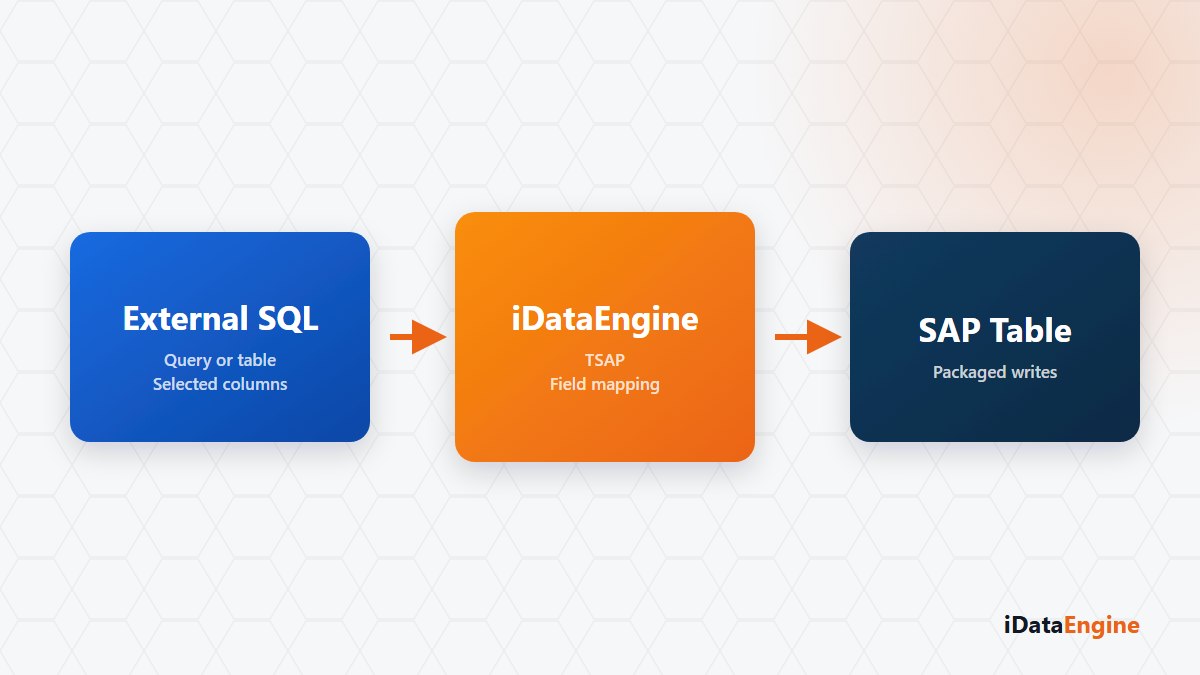
The question asked at a go-live meeting is rarely technical: “who corrects the rows that go in wrong?”
Reading from SAP is the direction we are used to. Pick the wrong field while reading and you get a poor report; nobody uses it and the matter closes there. Pick the wrong field while writing and you create records somebody has to correct inside SAP — and that work sits with the process owner, not the data team.
So three things belong in the plan before a write-back project starts: how the mapping will be validated, what stays in the target when a package fails, and whether a second run is safe.
Simulating the mapping before the first package
In the TSAP flow the source can be an external PostgreSQL or Microsoft SQL Server table, or an activated query. Source columns are mapped to SAP target fields, and DDIC Fx formulas can be applied per field. You can take field suggestions from sample data, preview the mapping and simulate the conversion.
That simulation step looks skippable and is the one that pays off. Date formats, decimal separators and padding problems surface there, not after the rows are already in SAP.
MDTAB packages and the rows left behind
Source rows are read over JDBC in packages. Each package is serialised to JSON, Base64 encoded and sent to the MDTAB command on the SAP side; the target table name, project id and load method travel in the same request. Rows read, rows sent, progress and error detail are kept in the pipeline records.
Now the sentence that matters: if a package fails, rows written by earlier packages stay in SAP. There is no end-to-end rollback. Read that as behaviour to plan for rather than a gap. With key-based updates a second run is usually safe; with insert only, you carry a duplicate risk.
The day-window delta setting adds a date condition to the source query and limits which rows are read. It is not a promise of “clear and reload” in the target: the current implementation does not empty the target table, it writes rows with update behaviour. The most common wrong assumption in a project plan sits right here.
Audit fields and the second run
User, date and time audit fields are added to the target custom table automatically and filled by the writing form on the SAP side. It reads like a detail until somebody asks when a row arrived and from which run — this is the only place that answers.
A scope note: the working sources here are external PostgreSQL and SQL Server tables, queries, and user-uploaded local files. If a plan starts with “we will read from an API and write into SAP”, settle first which component reads and which one writes. When the direction stays vague, that is where the most expensive assumption hides.
A first step we would suggest: choose the five most critical fields of the external table you want inside SAP. Let us write a small scope together, show the rows to the process owner on the SAP side, and take the decision at that table.