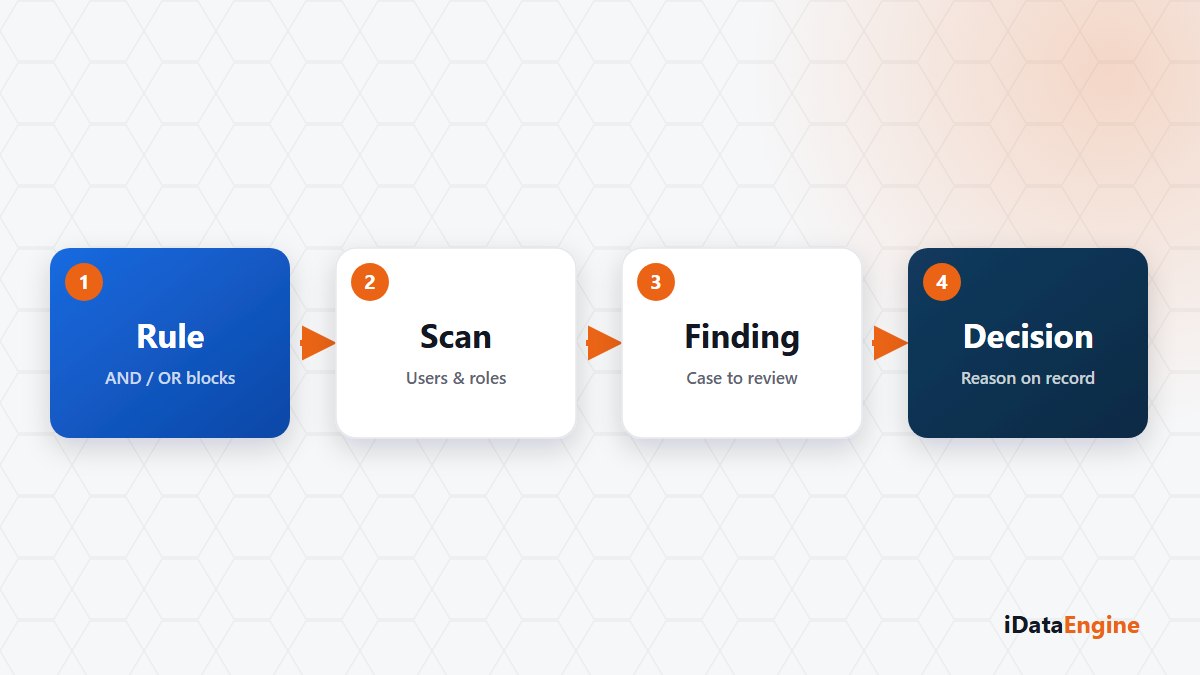
Segregation of duties control evaluates whether access rights that should remain separate have been combined under the same user. AccessGuard synchronises SAP users, roles, profiles, transaction codes, authorization objects and authorization values into iDataEngine for this evaluation.
Catalogs for critical transaction codes, authorization objects, profiles, privileged users and SoD rules are defined over the synchronised data. Scan results are stored as findings with their user, role, rule and matching authorization context.
Defining an SoD rule
An SoD rule relates two or more access sets through AND and OR blocks. Vendor creation and payment execution, for example, can be defined as separate sides of one rule. A narrower custom scan can also evaluate a pair of transaction codes or authorization objects.
An AI-assisted draft can be created from a natural-language description. The description is sent to an external model and returned suggestions are limited to the existing SAP catalog. The scope, accuracy and decision to save the final rule still require specialist approval.
Validating a rule before a full scan
A new rule can be evaluated through an online or asynchronous test before it is included in a full scan. An unexpectedly large result may indicate that the rule is too broad, while no results may point to a catalog or authorization-value mismatch.
Full scans, custom scans over a selected scope and reruns from an earlier definition serve different needs. Program authorization checks require completed Source Scanner data from the development system.
Recording findings and risk acceptance
Findings can be tracked as open, accepted risk, mitigated or false positive. An accepted risk can store its period, reason, resolution note, compensating control and risk owner. These fields allow the earlier decision to be reviewed when the same finding appears in a later scan.
An SoD finding shows that both sides of a rule are present for one user. It does not prove that the access was used or that misconduct occurred. AccessGuard does not change SAP roles automatically; review and remediation decisions remain with process and authorization owners, and implementation remains in the existing PFCG process.
A practical starting point is one access conflict that matters to the organisation. Define its transaction codes and authorization values, test the rule against a limited user group, and move it into full scanning and finding management only after the result has been reviewed.