As the number of Power BI, Fabric, data science and AI projects grows in organisations running SAP, so does the need to use SAP data on the Azure side.
Moving SAP data into Fabric, however, is not only a data transfer problem. The real question is how the processes built with different transfer methods will be managed, scaled and sustained over time.
Today several approaches can be used to move SAP data to Azure:
- Project-based transfer processes with SAP connectors
- Pipelines built with ETL/ELT tools
- Replication solutions
- Custom data extracts developed on the SAP side
Each of these can work in certain scenarios. But as data needs grow, the same problems start to appear:
- A new requirement means a new transfer definition
- A new SAP source means new development or a new pipeline
- A new target means new mapping and transformation
- Growing data volume means another round of performance work
- A changed business need means changes in existing transfer processes
- Technical difficulty, and a learning curve
After a while, moving SAP data to Azure turns into managing a large number of independent integration processes rather than a single data platform. The same SAP table can be transferred in different ways for different projects. The same data can be processed by more than one pipeline. Scheduling, delta management, filtering, performance and error tracking get addressed again in every process.
In the end the problem is not moving SAP data to Azure; it is sustainably managing the use of SAP data in Azure.
The iDataEngine approach
iDataEngine offers a different approach at this point: it treats SAP sources not as parts of individual projects but as centrally managed data sources.
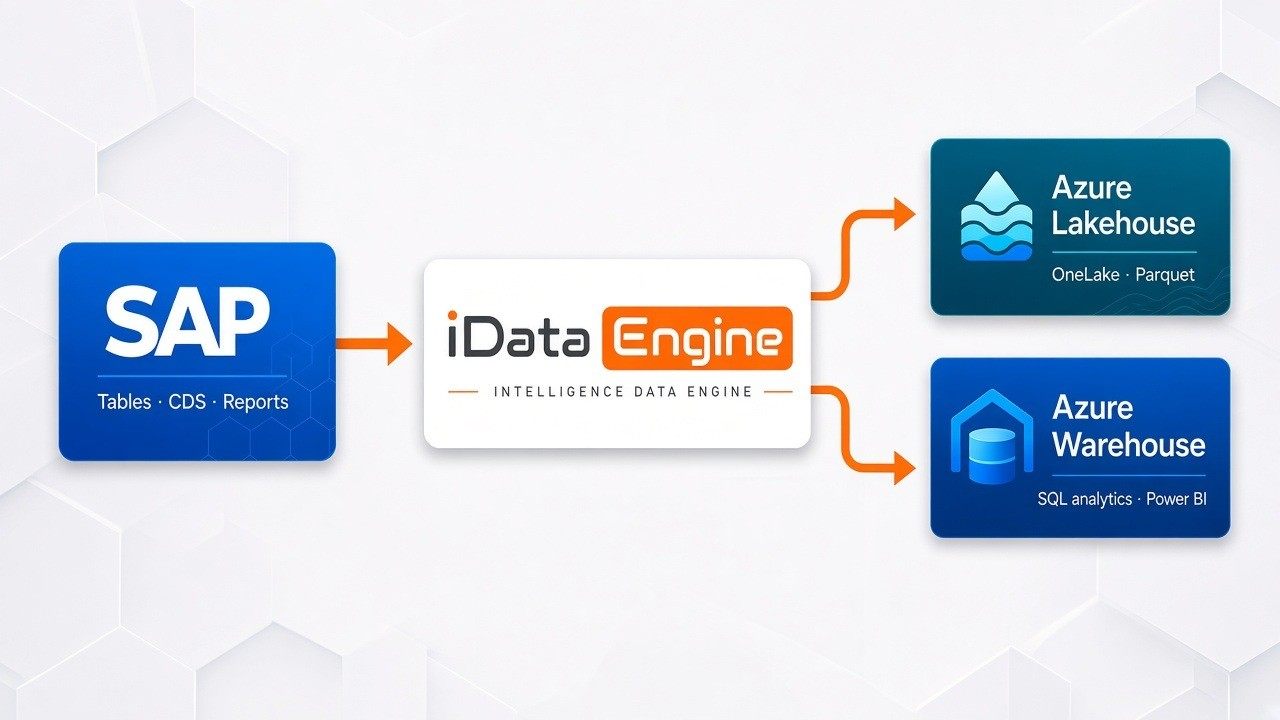
SAP tables, standard and custom (Z) reports and CDS views are defined in iDataEngine. The fields to transfer, the filters and the selection criteria are decided centrally, and those sources can then be reused for different needs.
On the target side, depending on the use case: Microsoft Fabric Warehouse for SQL-based analytics and Power BI; Microsoft Fabric Lakehouse / OneLake for data engineering, advanced analytics and AI. In the Lakehouse scenario, data can be written in Parquet format suited to analytical workloads.
The transfer itself is managed centrally as well — scheduling, full and delta transfer, data scope, run history, error tracking and transfer status all sit in one structure.
Where is the difference?
In the traditional approach every new project can create its own data transfer requirement. In the iDataEngine approach the SAP data source is defined once and opened up to different projects.
The SAP → iDataEngine → Fabric flow becomes the organisation’s shared SAP data transfer layer instead of an integration redesigned for every project. When a new Power BI report or AI project starts, you can proceed over the existing data sources and transfer infrastructure rather than building a new extraction process on the SAP side.
Less repetition. Less integration complexity. More central management. A more sustainable SAP–Fabric data platform.
Try it with your own SAP data
Rather than a theoretical demo, let us evaluate it on your own data. Pick an SAP table, report or CDS view that matters to your organisation, and let us look together at how that source is transferred into Fabric Warehouse or Lakehouse in your own environment and at your own data volume.